You're currently on:

Extract:Dialogue 2
Instantly isolate dialogue from background noise and reverb
Now in a class of its own
Already a staple amongst countless post professionals for its transparency and ease of use, Extract:Dialogue 2 builds on the success of the original Extract Dialogue, adding major new features including reverb reduction, EQ editing per channel and true stereo processing.
Version 2 takes everything that made the first plugin popular and pushes it much further, combining the latest cutting-edge AI with new precision controls professionals have been asking for.
While delivering real-time, broadcast-quality results instantly using the latest generation of Acon Digital’s AI models, with Extract:Dialogue 2, every part of the process can also be fine-tuned with surgical precision. It’s the plugin that works as fast as you do, and still lets you dig deeper when you need to.
Deep control when you need it
For professionals who need precision, Extract:Dialogue 2 introduces a set of advanced workflow tools:
- Independent volume control for the Voice, Reverb, and Noise channels including mute and solo buttons
- Sensitivity adjustments per channel, for fine-tuning how much signal is being detected
- Each sensitivity control features frequency-dependent curves to focus processing where it’s needed most, from midrange chatter to high-end reflections.
- Dedicated EQ sections for each element, allowing tone shaping within each component. You can soften reverb brightness without muting it completely or remove low-frequency rumble while keeping natural ambience.
- All Voice, Reverb, and Noise controls can be automated inside your DAW
“Extract Dialogue 2 has some of the best noise reduction I’ve heard. The fact that it can achieve such incredible results with minimal adjustment put it at the top of my list.”
Greg Wurth, Grammy-nominated producer (Metal Lords, Elio, Moana 2)
“ED2 is very intuitive — I can get something workable almost instantly. In some cases, the results were so seamless that I couldn’t tell the difference between production and ADR. It’s clean, fast and fits into my workflow incredibly well. "
Chris Roberts, BAFTA-nominated Sound Editor (The Gentlemen, Hotel Portofino, Sanditon)
"I've now started writing Voice and Reverb automation in real-time without even sending the outputs to different tracks. Really game changing stuff that Extract:Dialogue 2 is still low enough usage on the CPU and Delay Compensation to be used this way!”
DeLaVanta “Del” Tabor, Re-recording Mixer (The Deadliest Lie, Nine, Dating Covid)
Shaped by top professionals
Extract:Dialogue 2 was designed and built with direct input from some of the world's leading dialogue editors, mixers, and sound designers who rely on tools like this every day. They told us what slows them down, what competing products get right, and where they fall short.
The result is a voice cleaning tool that sets a new standard for speed, accuracy, and flexibility in real-world dialogue work.
Built for your workflow
Integrating easily into any post chain, you can use Extract:Dialogue 2 in real time or export dialogue, reverb, and noise stems separately for advanced mixing. The fully resizable interface lets you show only the controls you need, keeping sessions uncluttered and freeing up valuable screen real estate.
Clear visual feedback
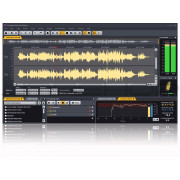
A real-time spectrum display visualises every part of the signal. Separate colour overlays show the voice, reverb, and noise components, while solo and mute buttons make it easy to hear exactly what’s happening.
Features for detailed editing
- A/B comparison for quick auditioning of alternate settings
- Undo and redo for experimentation without risk
- Factory and user presets for common recording situations
- Audition mode to monitor what’s being removed
- Full stereo processing that applies independent AI models to mid and side channels for cleaner centre dialogue and natural width
Fits your workflow
Extract:Dialogue 2 adapts to the way you work. It can be used in real-time during editing, or as part of a larger post-mix chain. The interface can be resized to show either the full control set or just the mixer panel for compact layouts. Multi-output routing lets you export dialogue, reverb, and noise stems separately for advanced mixing.
Applications
- Cleaning dialogue tracks for film, TV, and streaming
- Reducing noise and reflections in interviews or documentaries
- Restoring ADR and location recordings
- Enhancing clarity in podcasts, voiceovers, and web content
- Preparing clean stems for dubbing or foreign-language versions
- Recovering intelligibility in archival or field recordings
“A definite must if you work on films and documentary projects where clarity is all important. Extract:Dialogue 2 really works brilliantly and is very easy to use."
André Jacquemin, BAFTA-Nominated Sound Editor (The Meaning of Life, The Imaginarium of Doctor Parnassus)
"Acon Extract:Dialogue 2 gives you great control over dialog, reverb, and noise levels with an intuitive, visually pleasing interface. Its transparency is a wonder to the ears that leaves you with just...wow!"
James David Redding III, Emmy-Winning Sound Designer (The Patient, Mr & Mrs Smith, The Queens Gambit)
“Extract Dialogue 2 is a great way to make up for a 'non-optimised' vocal recording. A definitive improvement on the previous version with a brilliant, intuitive interface.”
Baby Brown, Emmy-Winning & Grammy Nominated Producer
Platforms and Plug-in Formats
- Available as VST, VST3 or AAX plug-ins on PC (Windows)
- Available as VST, VST3, AAX or AU plug-ins on Apple Macintosh (OS X)
- Native 32 bit or 64 bit versions of all plug-ins are available
- Supports sampling rates up to 96 kHz
Acon Digital Extract:Dialogue 2
- Fully automatic noise and reverb reduction based on deep learning
- Independent volume control for the Voice, Reverb, and Noise channels including mute and solo buttons
- Sensitivity adjustments per channel, for fine-tuning how much signal is being detected
- Each sensitivity control features frequency-dependent curves to focus processing where it’s needed most, from midrange chatter to high-end reflections.
- Dedicated EQ sections for each element, allowing tone shaping within each component. You can soften reverb brightness without muting it completely or remove low-frequency rumble while keeping natural ambience.
- All Voice, Reverb, and Noise controls can be automated inside your DAW (Supported Hosts Only)
- A/B comparison for quick auditioning of alternate settings
- Undo and redo for experimentation without risk
- Factory and user presets for common recording situations
- Audition mode to monitor what’s being removed
- Full stereo processing that applies independent AI models to mid and side channels for cleaner centre dialogue and natural width
- Resizable graphical user interface